 Family Town
 Support
A family-tree logic puzzle game for iPhone and iPad: 200 families in 15 chapters, a new Daily Family every day, and a town to build as you go.
- Works offline
- Free to play
- No accounts needed
- iPhone and iPad, iOS 17+
Contact
Email drmarwansherif@gmail.com. Please include your device model, iOS version and the app version shown at the bottom of Settings in Family Town.
Frequently asked questions
How do I play?
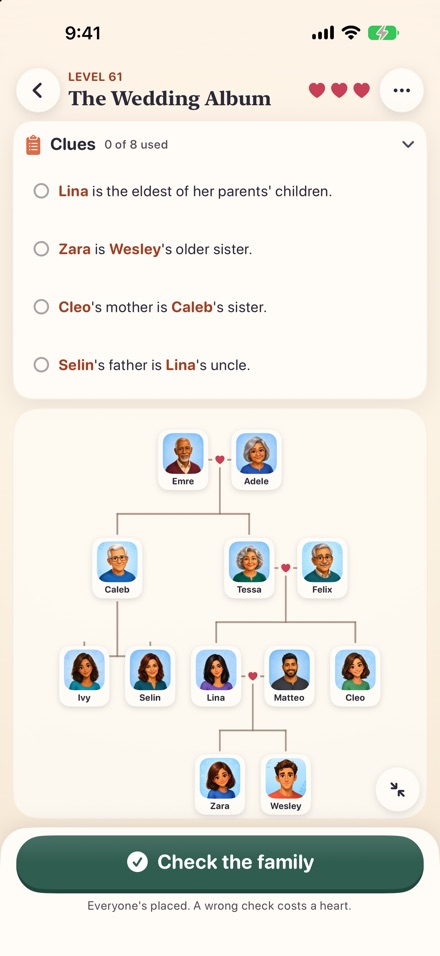
Tap someone in the tray, then tap their spot in the tree, or drag them there. A heart joins a couple, children hang below their parents, and brothers and sisters stand eldest to youngest, left to right. The spots have no labels: the clues are all you need. When the tree is full, press Check the family. Any arrangement that fits every clue wins.
The full guide is in the app under Settings › How to play.
I'm stuck on a level
Every level has exactly one solution and can be worked out from the clues alone. Tap a clue to tick it off once you've used it, and pick someone up to highlight the clues about them. If you're still stuck, a hint (40 coins) places one person correctly and locks them. A wrong check costs one of three hearts and marks the clues that don't fit.
How many levels are there?
200 families in 15 chapters, from a three-person tutorial to The Grand Reunion, plus a Daily Family every day and every past Daily Family since 2000. Chapters unlock in order; the chapter bar at the top of the level map jumps straight to any of them. Finishing a chapter pays a coin bonus.
How do stars work?
Three stars means no wrong checks and no hints. You can replay any family to improve your stars, and each extra star pays a small coin bonus.
Where do coins come from, and what are they for?
Coins come from reuniting families, the Daily Family, Archive mysteries and your Town. They can't be bought. Spend them on hints, on building and upgrading your Town, and on unlocking Past Families.
Does my Town earn coins while the app is closed?
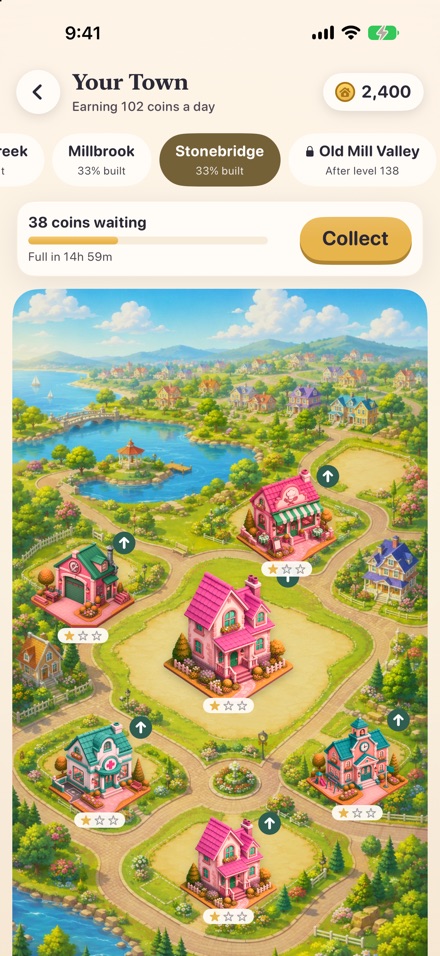
Yes, at exactly the same rate as when it's open. Buildings store up to one day's earnings; collect them in the Town before the store fills. Partly earned coins are kept between collections, so collecting often never loses anything.
When does the Daily Family change?
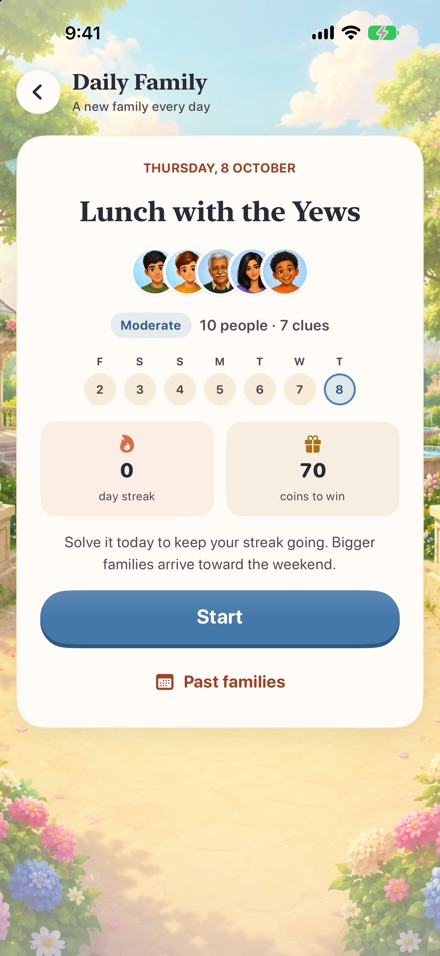
At midnight in your device's time zone. Everyone gets the same family on the same date, and it works offline. Solve it every day to build a streak, which raises the coin reward.
What are Past Families?
Every Daily Family since January 2000 is still there to play. From the Daily Family screen, tap Past families: days you already played are free to replay, a missed day unlocks for 50 coins, and Random family picks one you haven't played. Past days are just for fun: they don't pay coins or change your streak.
I played the earlier version of Family Town
Family Town 2.0 is a full rebuild. Families you reunited in the earlier version are marked solved in the new campaign (you can replay them for more stars), your sound settings carry over, and you get a welcome-back coin gift based on your old progress.
Is Family Town accessible?
Controls are labelled for VoiceOver, and people in the tree can be placed, moved or returned to the tray with VoiceOver actions instead of dragging. Menus and clues follow your text size setting. Animations respect Reduce Motion. Wrong clues are marked with an icon and a dashed outline, not just colour. Pinch to zoom the family tree.
Troubleshooting
There's no sound
- Check the Ring/Silent switch or Silent mode: Family Town's sounds follow it.
- Turn up the volume while the game is open.
- In Family Town, open Settings and check that Music and Sound effects are on.
I don't feel any vibration
Check Settings › Haptics in Family Town, and that System Haptics is on in the iPhone Settings app under Sounds & Haptics. iPad doesn't have haptics.
Dragging people is hard
You don't need to drag: tap a person in the tray, then tap their spot. Tap a placed person to pick them up again, or touch and hold for Return to tray. On large families, pinch to zoom or use the button in the corner to see the whole tree.
The Daily Family is still loading
It's created on your device the first time you open it each day, which can take a few seconds on older devices. If it doesn't appear, close Family Town from the App Switcher and open it again.
My progress is missing
Progress is saved on your device after every move, with a backup copy. If the save can't be read, Family Town restores the backup and tells you. Progress moves to a new device with an iCloud or computer backup. Deleting the app deletes your progress, and Settings › Reset all progress clears it on purpose.
Something else went wrong
Close Family Town from the App Switcher and reopen it, and make sure iOS is up to date. If the problem continues, email us using the contact details above and describe what happened.
Privacy
No accounts, and your puzzles and progress never leave your device. Family Town is free and shows ads; iOS asks before any tracking. Read the privacy policy.